
Set up raters for a whole cohort
Admins and facilitators can now list each participant's raters ahead of time, and LeaderFactor invites them automatically the moment the participant finishes their assessment.
Gathering external feedback no longer depends on every participant remembering to invite their raters. From the cohort page, you can now list each person’s raters ahead of time, one at a time or for the whole cohort from a spreadsheet. LeaderFactor invites them automatically the moment that participant finishes their assessment.
What’s new
Auto-invite raters
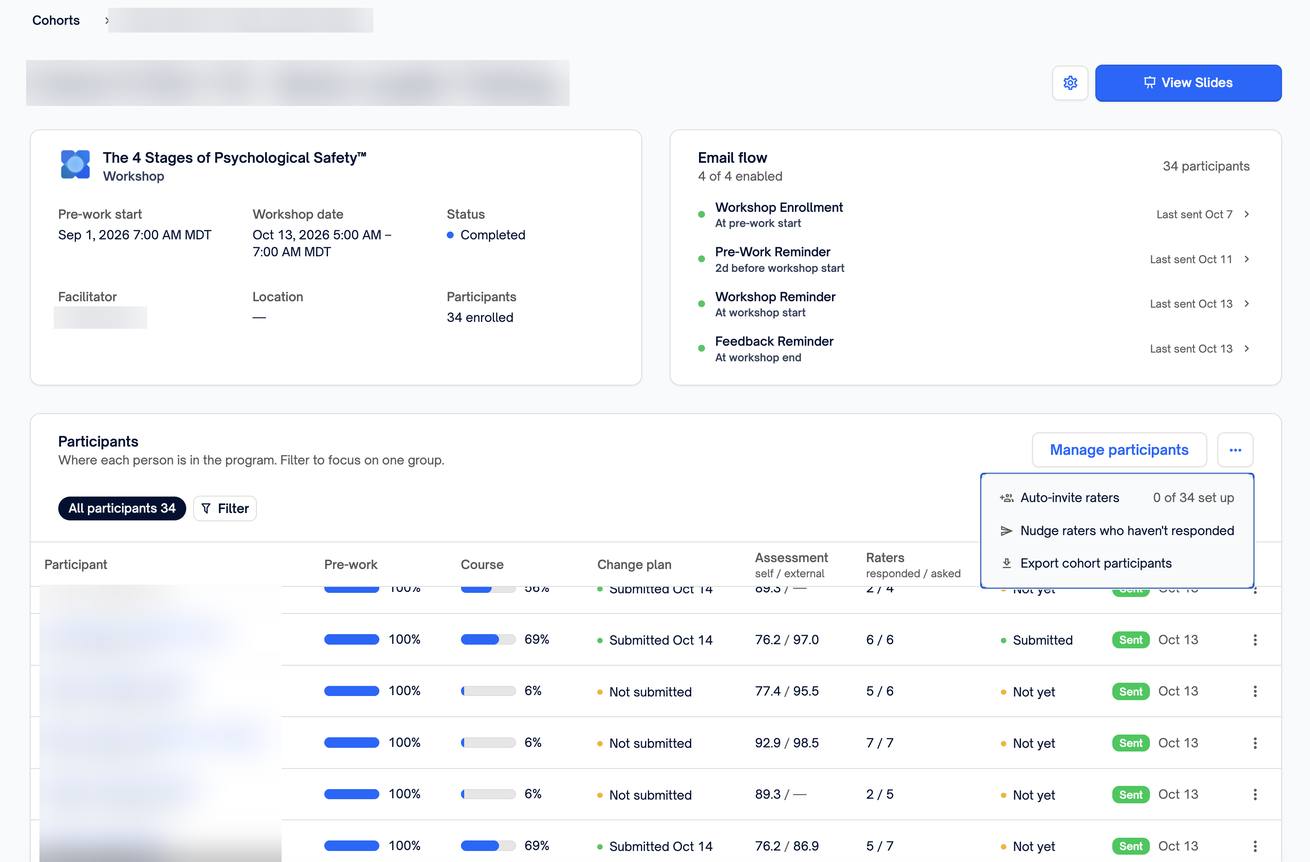
On the cohort page, open More actions (the … button beside Manage participants) and select Auto-invite raters. The menu shows how many participants are set up so far. The option appears when the cohort’s course includes an assessment with raters.
List raters for each participant
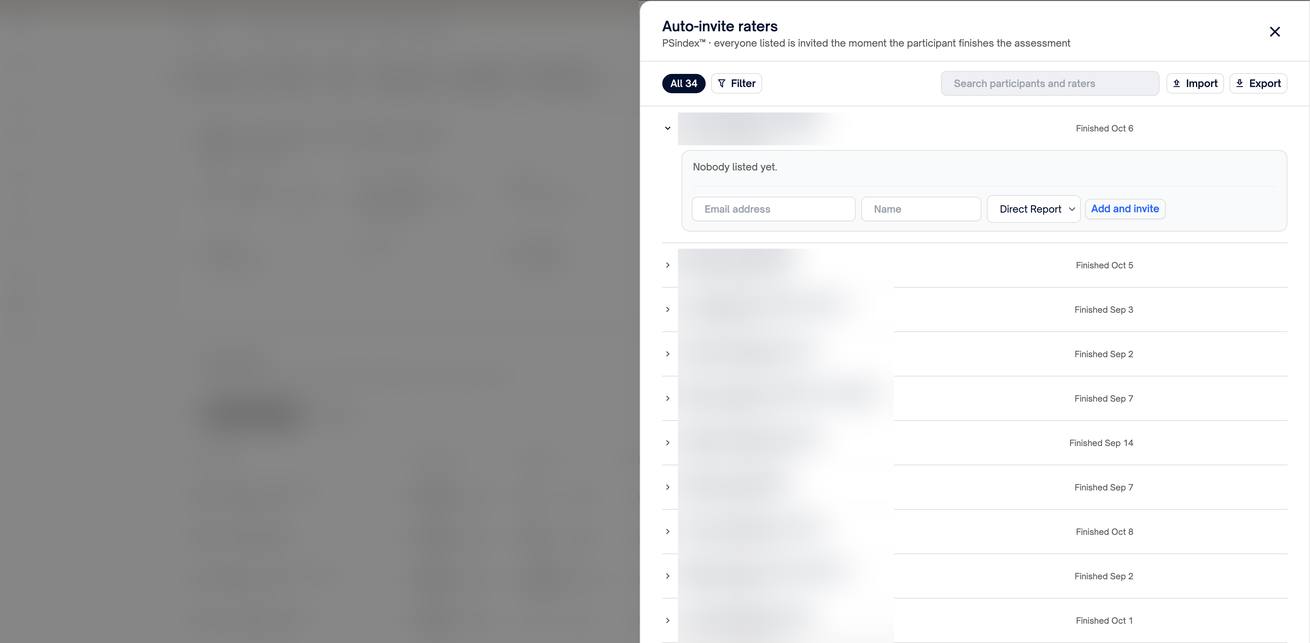
The panel lists every participant and whether they’ve finished the assessment. Expand a participant, enter a rater’s Email address, an optional Name, and their relationship (direct report, peer, supervisor, or other), then select Add. If the participant has already finished, the button reads Add and invite, and the invitation goes out right away.
Each rater shows a status:
- Queued: the participant hasn’t finished yet. The invitation goes out the moment they do.
- Invited, In progress, or Completed: the rater has been invited and is on their way.
- Removed: the participant removed this rater from their own rater screen.
Import a whole cohort at once
Select Import to add raters from a CSV file. Download the template gives you a file that already lists every participant, with columns for Rater Email, Rater Name, and Relationship. Choose Add to the list to add to what’s there, or Replace the list to make the file the whole list. Select Preview changes to see exactly what will happen, including how many invitations will go out right away, before anything is saved.
Select Export to download the current list.
Nudge raters who haven’t responded
Choose Nudge raters who haven’t responded from More actions to send one reminder to every rater who hasn’t finished. Raters reminded in the last day are skipped. To nudge one participant’s raters, open their panel from the participants table, where each rater’s status is listed with a Nudge button.
Improvements
- Each listed rater is invited once. If a participant retakes the assessment, their raters aren’t invited again.
- If a participant removes a rater you listed, that choice stands. You’ll see it marked Removed.
Get started
- Open Admin → Cohorts and select a cohort.
- Open More actions and select Auto-invite raters.
- Add raters one participant at a time, or select Import and start from Download the template.
- Raters are invited as each participant finishes. Use Nudge raters who haven’t responded to follow up.